What is AI Ease Photo Restoration?
If you've ever tried to fix an old, damaged photo using Photoshop, you know how painful it can be. Hours of clone stamping, layer masking, and color correction — just for a single image. That's where AI ease photo restoration changes everything.
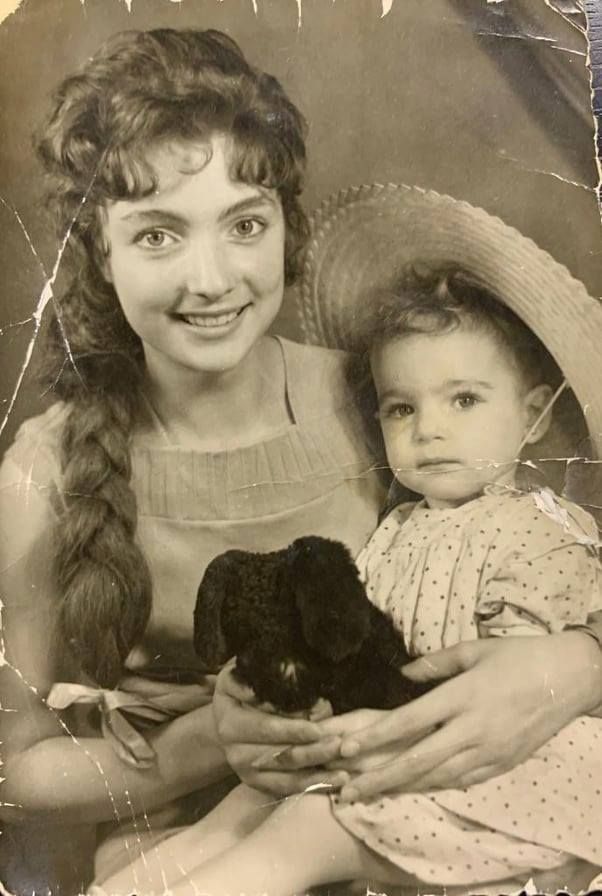
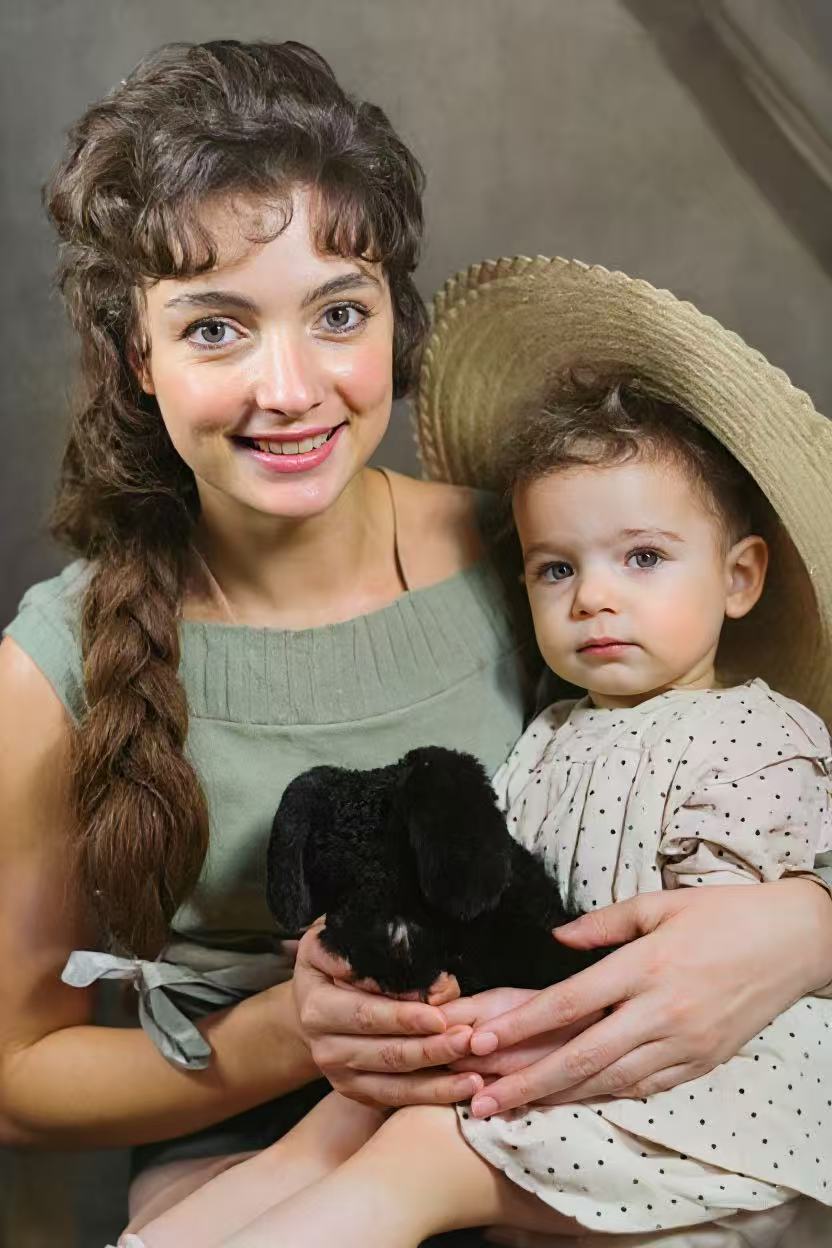
AI ease photo restoration refers to a new generation of one-tap restoration technology powered by artificial intelligence. Instead of manually editing each scratch, stain, and blur, the AI analyzes the entire image, detects every imperfection, and repairs them automatically. The result? Professional-quality restoration in seconds, not hours.
The core idea behind AI ease photo restoration is simple: make photo restoration as easy as pressing a single button. No technical skills, no expensive software, no waiting — just upload your damaged photo and let the AI do the work.
💡 Key Takeaway
AI ease photo restoration is not just a feature name — it's a philosophy. The best restoration tools in 2026 make the process so effortless that anyone, from a teenager to a grandparent, can restore decades-old photos with a single tap.
How Does Auto Restore Work?
The magic behind auto restore lies in deep learning models trained on millions of damaged and repaired photo pairs. Here's what happens when you tap that button:
AI Scans the Image
The algorithm detects scratches, tears, stains, blur, and color fading at the pixel level.
Auto Restore Repairs
AI automatically fills in damaged areas, sharpens blurry faces, and reconstructs missing details.
HD Output Ready
The restored photo is enhanced to high resolution, ready to save, print, or share.
The beauty of auto restore is that it handles every type of damage simultaneously. Whether your photo has minor scratches or massive tears, yellowing or complete color loss — the AI treats everything in one pass. There's no need to manually select which imperfections to fix.
Traditional photo editing requires you to address each problem separately: first descratch, then deblur, then color correct, then sharpen. With auto restore, all of these steps happen in parallel within seconds.

Photo Retouch AI: Beyond Basic Restoration
While auto restore fixes damage, photo retouch AI takes things further. Modern AI retouching doesn't just repair — it enhances. Think of it as having a professional retoucher working on your photo at machine speed.
Here's what photo retouch AI can do that traditional restoration can't:
Intelligent Colorization
AI analyzes historical context to apply accurate, natural colors to B&W photos — skin tones, clothing, landscapes.
Face Enhancement
Photo retouch AI specifically targets facial features — eyes, nose, lips — restoring them with remarkable accuracy.
4x Super Resolution
Upscales low-resolution photos to 4x their original size while generating realistic new detail.
Texture Preservation
Unlike basic filters, photo retouch AI preserves the authentic vintage texture and character of old photos.
The key difference between photo retouch AI and traditional retouching is consistency. A human editor might take 2 hours per photo and produce varying quality. AI delivers consistent, professional-grade results every single time — in under 10 seconds.
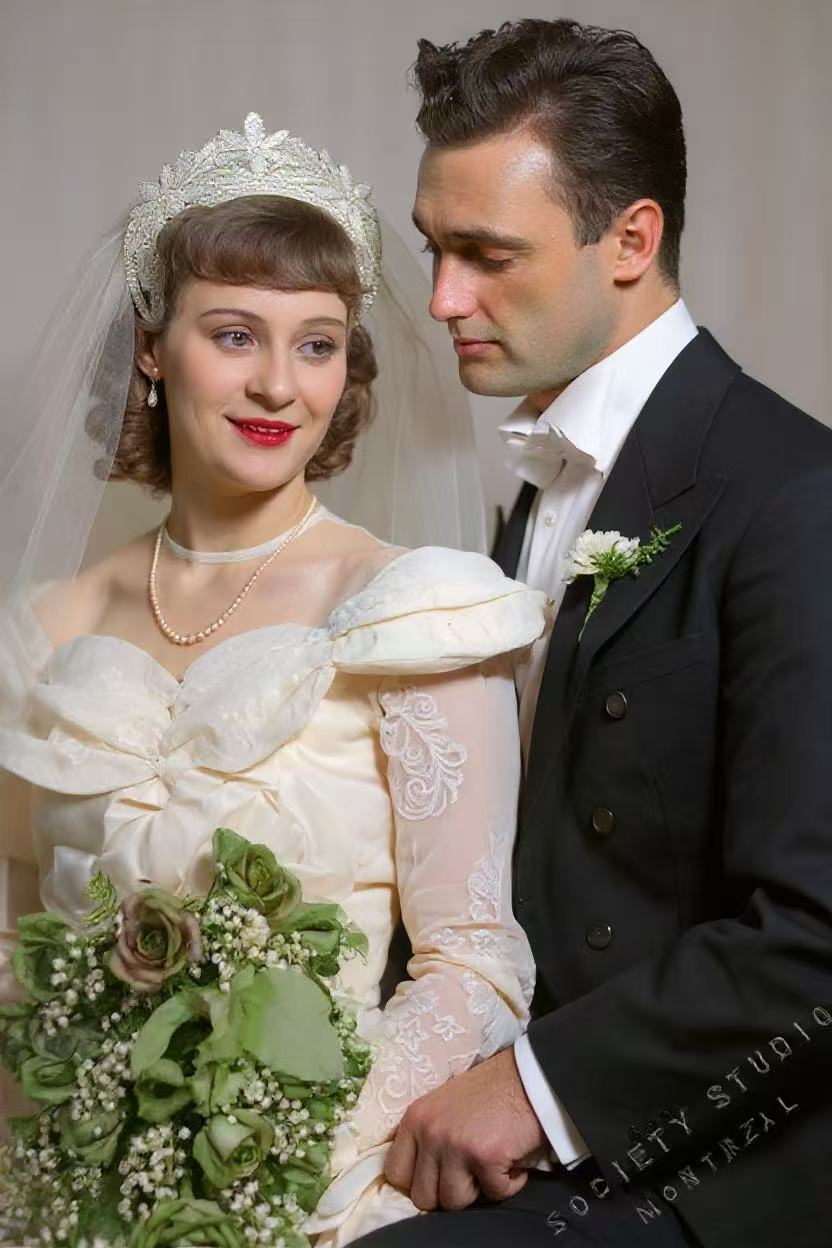
AI Ease Photo Restoration vs. Manual Editing: A Real Comparison
Still not sure if AI ease photo restoration can match professional manual work? Let's compare:
⏱️ Speed
AI ease photo restoration: 5–10 seconds per photo.
Photoshop manual editing: 1–4 hours per photo.
💰 Cost
AI ease photo restoration: Free or minimal subscription.
Professional service: $30–$100 per photo.
🎯 Skill Required
AI ease photo restoration: Zero — just tap one button.
Photoshop: Months of learning curve.
🔒 Privacy
AI ease photo restoration (on-device): Photos never leave your phone.
Online services: Uploaded to unknown servers.
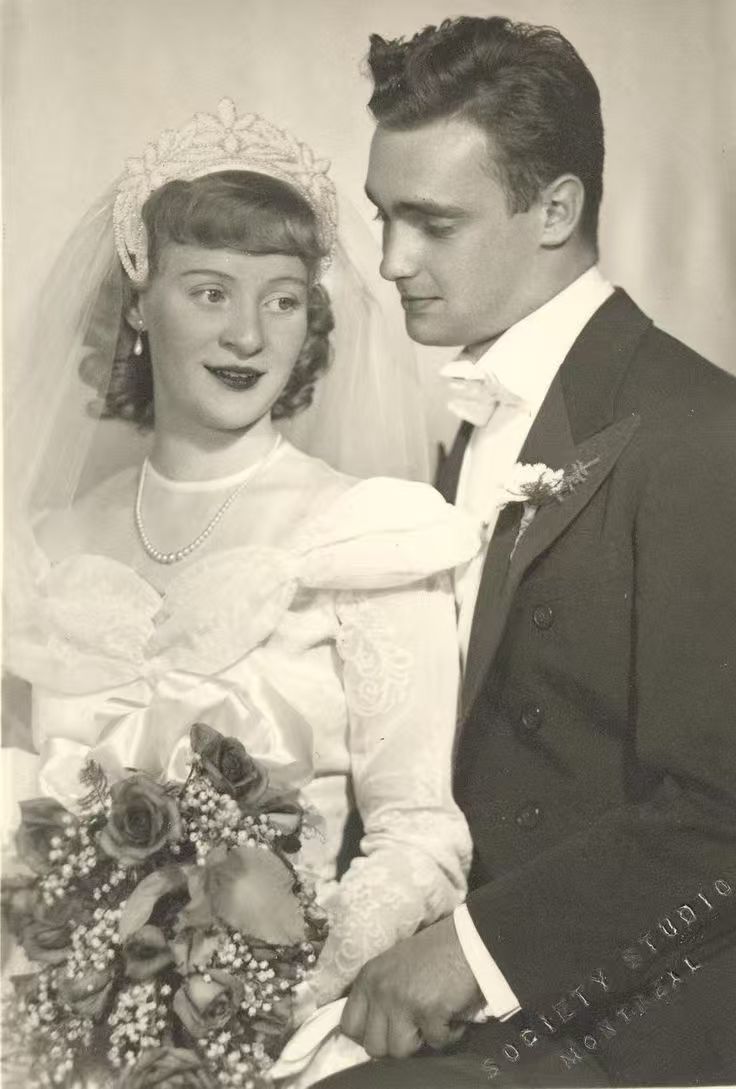
For 95% of old photo restoration tasks — removing scratches, sharpening faces, fixing fading, and adding color — AI ease photo restoration delivers results that are indistinguishable from professional work. The remaining 5% (severely torn physical photos or artistic retouching) may still benefit from human expertise.
How to Auto Restore Your Old Photos (Step-by-Step)
Ready to try AI ease photo restoration yourself? Here's how to auto restore your old photos using FotoRevive:
- Download the App — FotoRevive is free on the App Store. No account required.
- Upload or Scan Your Photo — Take a photo of your old print, or select from your camera roll.
- Tap "Auto Restore" — One tap triggers the AI to analyze and fix all damage automatically.
- Choose Additional Enhancements — Optionally apply photo retouch AI features: colorize B&W, enhance faces, or increase resolution.
- Save & Share — Download your restored photo in full HD, ready to print or share with family.
Download App — Try Auto Restore Free
Frequently Asked Questions
AI ease photo restoration is a one-tap technology that uses artificial intelligence to automatically detect and fix damage in old photos — including scratches, blur, fading, and discoloration — without any manual editing skills required. Apps like FotoRevive use this technology to make restoration accessible to everyone.
Yes! Apps like FotoRevive allow you to auto restore old photos directly on your iPhone. Simply upload a photo and the AI will automatically remove scratches, sharpen faces, and enhance colors in seconds. The processing happens on your device for maximum privacy.
For most old photo restoration tasks, photo retouch AI produces results comparable to professional Photoshop editors — but in seconds instead of hours, and at zero cost. Manual editing is only better for extremely complex artistic restoration or physically torn originals.
FotoRevive offers free auto restore functionality. You can restore photos at no cost. Premium features like high-resolution export and batch processing are available through an affordable subscription.
AI ease photo restoration can fix virtually all common types of damage: scratches, cracks, tears, stains, yellowing, fading, blur, low resolution, and color loss. It works on both black-and-white and color photographs from any era.
Experience AI Ease Photo Restoration
Auto restore your old photos in seconds. No skills needed, no cost, no uploads to strangers.
Download FotoRevive — It's Free